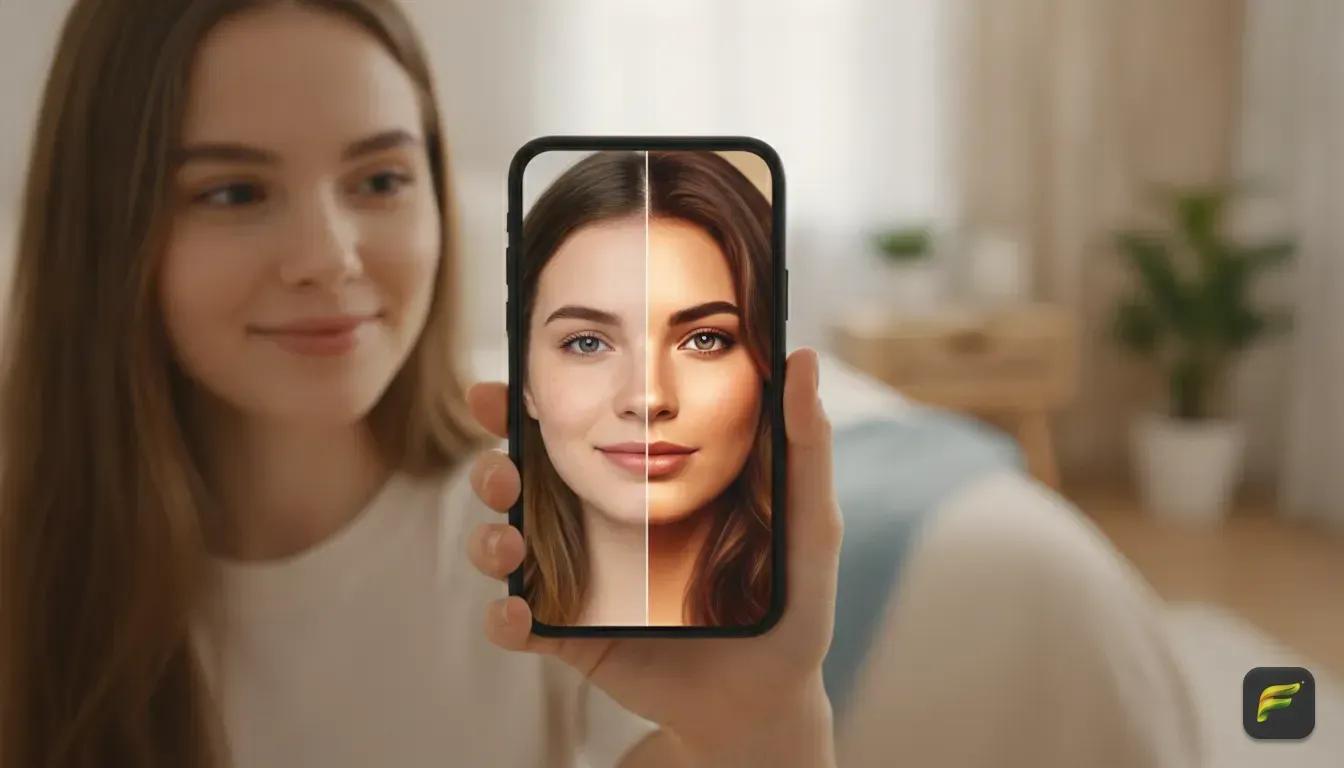
Trending AI Photo Edit Styles to Upgrade Your WhatsApp Profile Picture
Learn how to transform everyday selfies into eye-catching WhatsApp display pictures using trending AI styles, custom prompts, and simple editing tips.
 DevForge Studio
6 min read
How to Pick the Best Input Photo for AI Edits
You need a good base photo before applying any style. Feed an AI photo app a bad picture, and you'll get a terrible result. The software needs to see your facial features clearly to recreate them accurately.
- Find soft, natural light: Stand facing a window during the day. Diffused light prevents harsh shadows across your nose.
- Look straight at the camera: Profile pictures work best with direct eye contact. Turn your face fully toward the lens.
- Keep a natural expression: A slight smile works better than exaggerated faces. Big laughs often confuse the AI and warp your jawline.
- Move away from background clutter: Stand in front of a plain wall. A clean background makes it easier for the AI to separate you from the room.
- Keep your hands away from your face: AI still struggles with fingers. Keep your hands completely out of the frame for a cleaner edit.
5 Trending AI Photo Edit Styles to Try
Once you have a clear selfie, you're ready to experiment. Here are the most popular aesthetic photo edit ideas we see taking over social media right now.
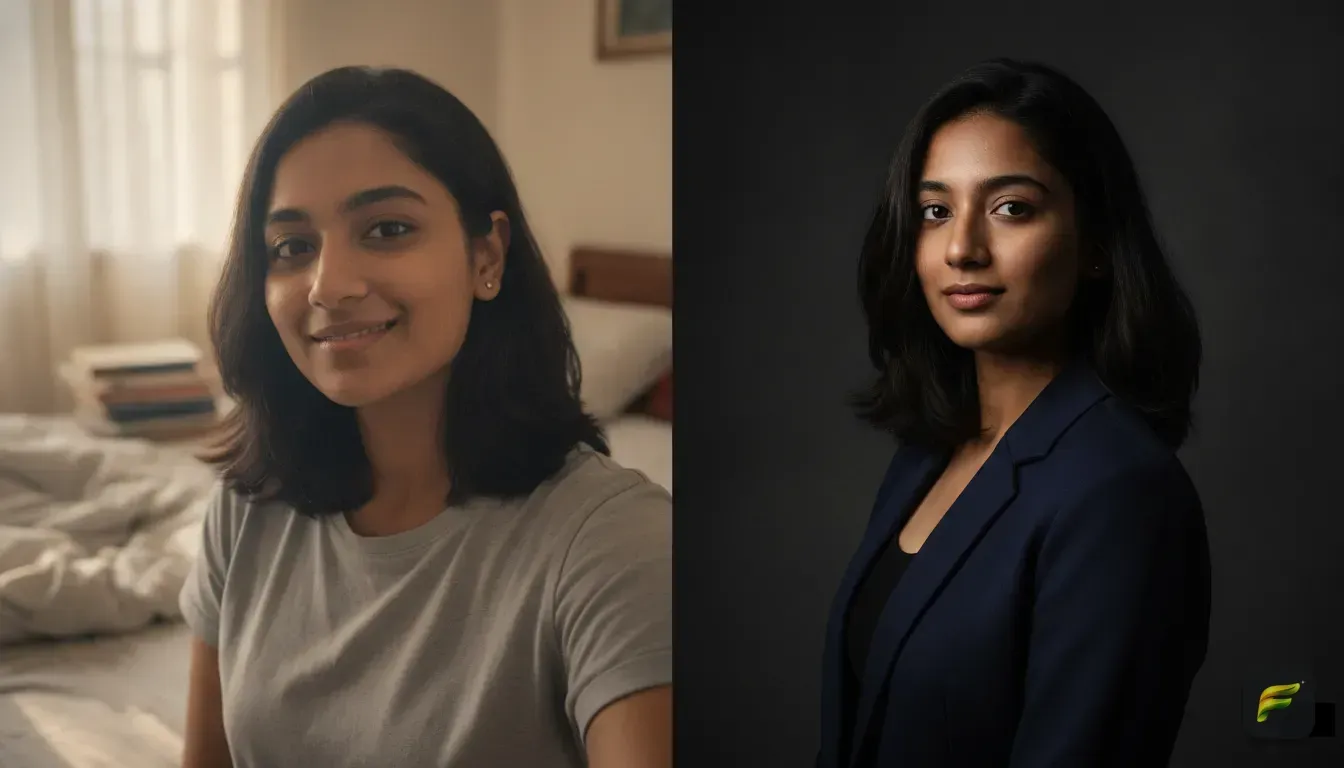
1. The Moody Cinematic Studio Portrait
This style brings a sophisticated, intense look. A cinematic photo edit mimics the lighting and color grading of a high-budget movie. It uses dark backgrounds with soft light hitting just one side of your face.
This style works perfectly for WhatsApp. The high contrast makes your face pop, even when viewed as a tiny thumbnail.
Check out our guide on how to get a cinematic photo edit from an everyday selfie using AI. It breaks down the exact lighting setups that work best.
2. The 90s Vintage Film Aesthetic
Nostalgia is everywhere right now. The vintage photo edit ai trend adds film grain, light leaks, and faded colors to your photo. It makes your picture look like it was shot on a disposable camera in 1996.
The AI usually softens the focus and adds a warm tint to your skin. It's a great choice for a casual, artsy profile picture.
3. The Clean Old Money Vibe
Choose this style if you want an elegant WhatsApp profile. The old money aesthetic relies on neutral colors like beige and navy. The backgrounds usually feature European cafes, classic architecture, or manicured gardens.
The AI often dresses you in a crisp linen shirt or a tailored blazer. It's an excellent way to look put together without trying too hard.
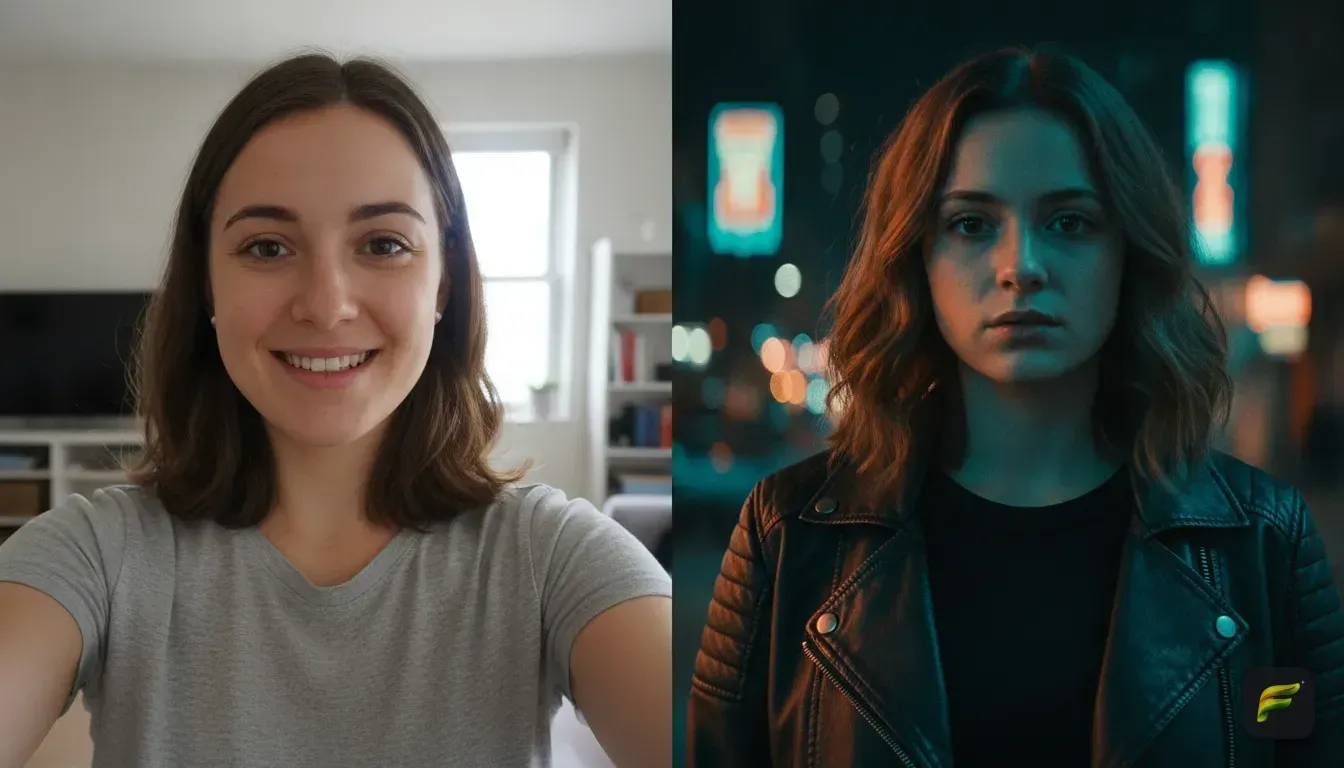
4. The Neon Cyberpunk Glow
The cyberpunk style is a fun way to stand out. This edit uses vibrant neon pinks and blues to create a futuristic atmosphere.
The background usually turns into a rainy city street. Because of the bright colors, this is one of the most eye-catching instagram photo edit ideas you can use for gaming profiles.
5. The Casual Professional Headshot
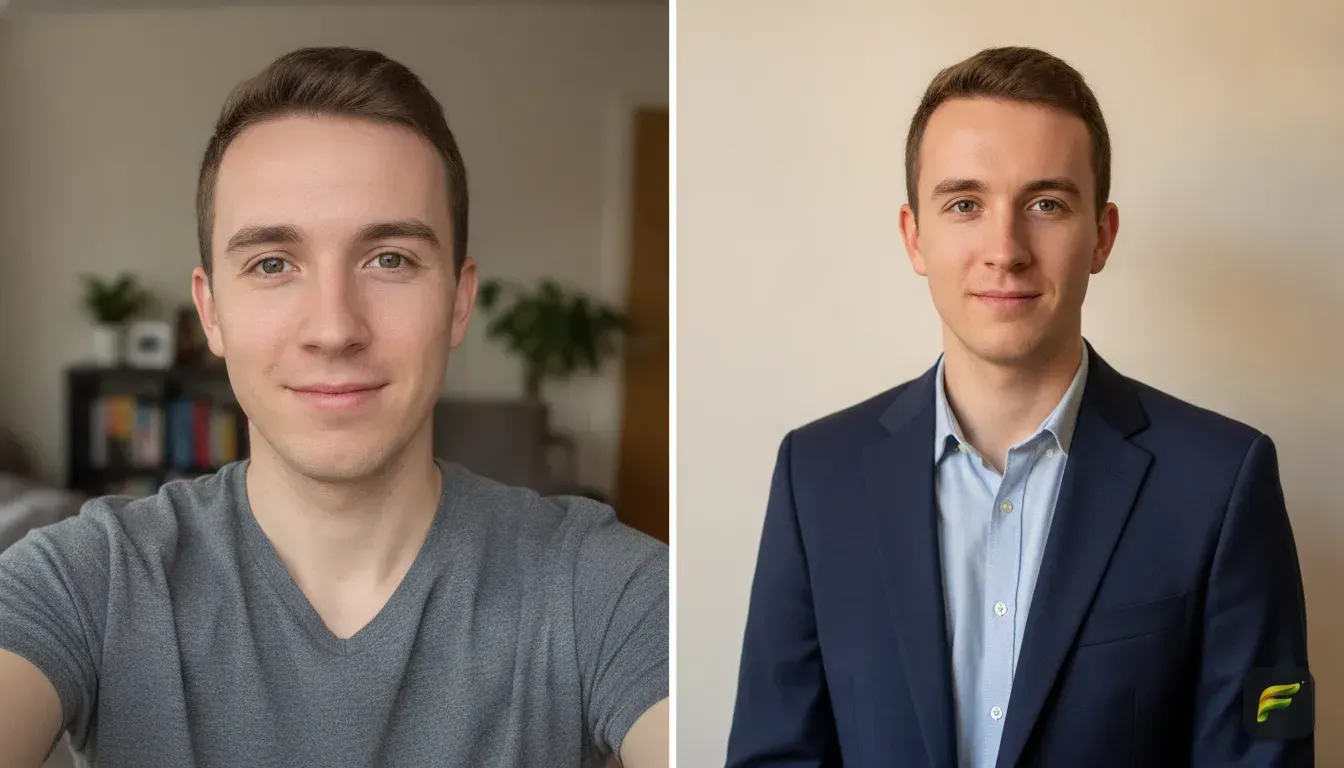
Sometimes you need a WhatsApp picture that is safe for work. A casual professional edit strikes the perfect balance.
The AI places you in a modern office or a well-lit coffee shop. It usually dresses you in smart-casual clothing like a blazer over a plain t-shirt. It's professional enough for clients but friendly enough for group chats.
How to Write AI Photo Editing Prompts (With Examples)
You need to know what to type into your ai portrait generator from photo to get these looks. A good prompt follows a simple formula of subject, setting, lighting, and camera style. Here are five copy-paste ai photo editing prompts you can use right now.
- For a Cinematic Look: "A close-up portrait of a person in a dark studio. Dramatic cinematic lighting, soft blue rim light on the hair, 85mm lens, blurred dark background, highly detailed."
- For a Vintage Vibe: "A 1990s film camera photo of a person laughing in a park. Warm sunlight, visible film grain, light leaks, retro aesthetic, disposable camera quality."
- For an Aesthetic Cafe Look: "A person sitting outside a Parisian cafe drinking coffee. Neutral beige tones, elegant clothing, bright morning sunlight, soft depth of field, elegant and clean."
- For a Cyberpunk Style: "A futuristic portrait of a person in a rainy city street at night. Bright neon pink and blue lighting hitting the face, cyberpunk aesthetic, high contrast, sharp details."
- For a Casual Professional Headshot: "A professional portrait of a person standing in a bright modern office. Wearing a stylish navy blazer. Natural daylight coming from a window, blurred office background, photorealistic."
How to Change Your Outfit in a Photo Using AI
Sometimes your face looks amazing in a photo, but you're wearing an old t-shirt. You don't need to reshoot the picture. You can easily change outfit in photo ai tools without altering your natural expression.
We built Fotorra AI to solve this exact problem. Our app lets you type a custom prompt to describe the clothes you want to wear. Just type "wearing a red silk evening gown" or "wearing a tailored charcoal suit."
The app updates your clothing while keeping your face completely intact. Fotorra also features one-tap templates like "Girl's Closet" or "Cinematic Studio" if you hate writing prompts.
All your edits save directly to your phone. Your uploads are kept private and never used to train external AI models.
Common Mistakes When Making an AI Profile Picture
Things can still go wrong if you aren't careful. Avoid these common mistakes so your WhatsApp picture actually looks human.
1. Losing Your Natural Face
The biggest mistake we see is people using filters that completely change their bone structure. If your friends don't recognize you, the edit went too far.
Always use tools that prioritize facial preservation. Read our guide on how to find the best AI filters for selfies that keep your natural face for more practical tips.
2. Over-Smoothing Skin Texture
Real human skin has pores and texture. If an AI tool airbrushes your skin until it looks like plastic, the photo instantly looks fake.
Add words like "natural skin texture" or "photorealistic details" to your prompts. This simple trick prevents the AI from making you look like a mannequin.
3. Ignoring Lighting Consistency
Asking the AI to put you in a bright field when your original photo was taken in a dark room creates a weird, pasted-on effect. The lighting on your face just won't match the background. Always try to match the mood of your original photo to your new prompt.
Get Your New Display Picture Ready
Updating your WhatsApp profile picture doesn't have to be a chore. You can try completely new aesthetics in minutes with the right input photo.
Start by choosing a style that fits your personality. Grab a well-lit selfie, and let the software do the heavy lifting. Experiment with different outfits and backgrounds until you find the exact vibe you want to share.
Frequently asked questions
Which AI photo editor app is best for WhatsApp DPs?
The best apps allow you to change your background and outfit while keeping your natural facial features intact. Apps like Fotorra AI offer one-tap templates and custom prompts to create high-quality, personalized profile pictures directly on your phone.
How do I write good AI photo editing prompts?
A good prompt should be specific and follow a structure. Always include the subject, the setting, the type of lighting, and the camera style or aesthetic you want to achieve.
Can I change my outfit in a photo using AI?
Yes, many modern AI tools allow you to describe a new outfit and instantly apply it to your existing photo. This lets you turn a casual t-shirt selfie into a professional blazer headshot without needing a new photoshoot.
How do I make my AI profile picture look natural?
Start with a clear, well-lit selfie where you are looking at the camera. Avoid prompts that heavily airbrush your skin, and make sure the lighting on your face matches the lighting of the AI-generated background.

Try it yourself
Fotorra AI
Transform photos instantly with AI.