How to Choose the Right Photo for an AI Virtual Try-On
Want to know exactly how a dress will look on you before you buy it? Learn how to take the perfect base photo for realistic AI outfit try-ons.
 DevForge Studio
7 min read
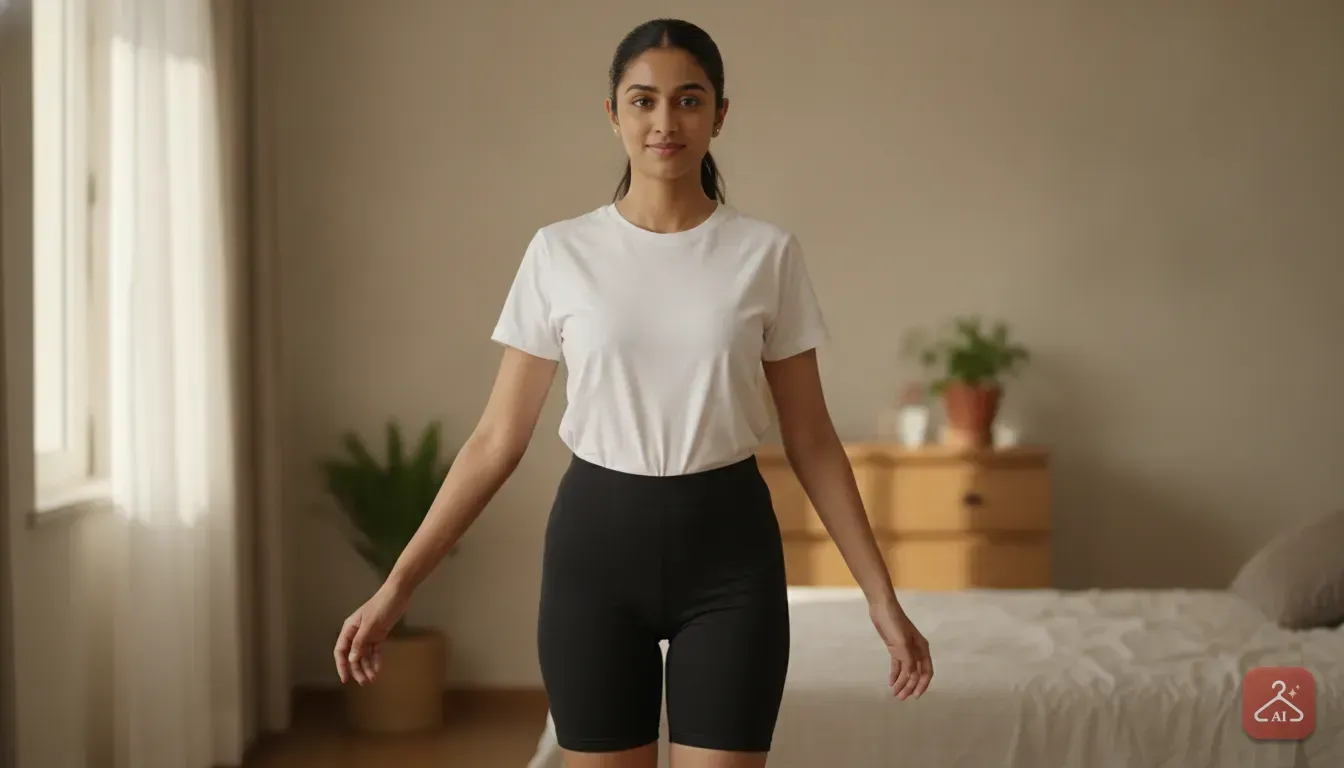
Knowing How to choose the right photo for an AI virtual try-on changes everything. You want a realistic result from an AI outfit changer, so you need a well-lit, front-facing picture. Stand straight with your arms slightly away from your body.
Put the camera at chest height. Wear fitted clothes so the AI accurately maps your body shape.
When you use a virtual try-on clothes app, it reads your body lines. Then it overlays the new garment onto those lines.
Dark photos or weird angles ruin this process. If you wear baggy clothes, the AI guesses your proportions incorrectly. You'll get a lumpy, overly wide dress disconnected from your shoulders.
Maybe you want to try clothes online before buying a festival outfit. Or maybe you run a boutique and need product photos for an online clothing store. Starting with the right image saves you time and credits.
We see bad photos every day in the studio. Let's walk through the exact steps to capture the perfect base photo for a flawless AI fashion preview.
The Basics: What Makes a Good Try-On Photo?
A great base photo doesn't require a professional studio. You just need your phone, good lighting, and a clear pose. Give the AI a clean canvas.
Focus on natural lighting
Lighting dictates how well any AI photo tool works. The software matches the new outfit's lighting to your face and body. Stand facing a window so the natural light hits you directly.
Don't stand with your back to the window. That creates a silhouette and makes your skin look muddy. If you shoot at night, face a bright room light instead.
Avoid harsh overhead bulbs. We often notice they cast terrible dark shadows under your eyes and chin.
Stand in an 'A-Pose'
Posture decides how the outfit drapes. Stand straight with relaxed shoulders. Keep your arms slightly away from your body to form an 'A' shape.
Don't cross your arms or put your hands in your pockets. If you block your waist, the AI can't see your waistline. It will struggle to fit dresses or tops correctly.
Keep the camera at chest height
Camera angles warp your body proportions. A selfie from above gives you a huge head and short legs. Shooting from below distorts your height.
Ask a friend to hold the phone at chest level. Keep the lens straight. If you're alone, prop your phone on a shelf and use a 10-second timer.
What to Wear in Your Base Photo
Your outfit in the reference photo impacts how the AI maps the new clothing. Wear something simple and tight. Make sure it contrasts with your skin tone.
Choose fitted basics
An AI dress changer app uses your current outline. If you wear a loose jumper or flowy skirt, the software assumes that extra fabric is your body.
Try putting a fitted dress over that bulky shape. It looks terrible. Stick to form-fitting clothes like leggings, cycle shorts, or a tight vest.
Tight basics give the AI an accurate read of your true size.
Pick neutral, contrasting colours
Skip busy patterns, large logos, or thick wool. Plain, solid colours work best.
Ensure your clothes stand out from the background. Black leggings against a dark wall confuse the software. It won't know where your legs end.
Tie your hair back
Necklines matter heavily for outfit ideas for wedding guest looks or party wear. Hair over your shoulders confuses the scan. The AI might accidentally merge your hair with a new shirt collar.
We always tell users to pull their hair up. Tie it in a bun, or push it completely behind your shoulders. Keep your neck visible.
Common Photo Mistakes That Ruin AI Results
Flawed starting photos frustrate a lot of users. Small mistakes confuse the software. Avoid these common errors.
- Mirror selfies: This is a massive mistake. Your phone blocks your chest and stomach in a mirror shot. The AI leaves a blurry patch or fails entirely, so always use a timer.
- Heavy face filters: Social media filters add artificial blurring. Your face will look painted compared to the sharp clothing. Stick to your natural camera.
- Cropping out your feet: For a saree virtual try on or floor-length gown, the AI needs your feet. Cut them off, and the software won't know where to end the hemline. The dress will just float awkwardly.
- Other people in the frame: Make sure you're alone. Group shots confuse the tech. It might try to dress your friend or blend your bodies together.
Choosing the Right Photo for Specific Outfits
Different clothes need different framing for the best results. Here is how to prepare for specific styles.
Saree and Lehenga Try-On
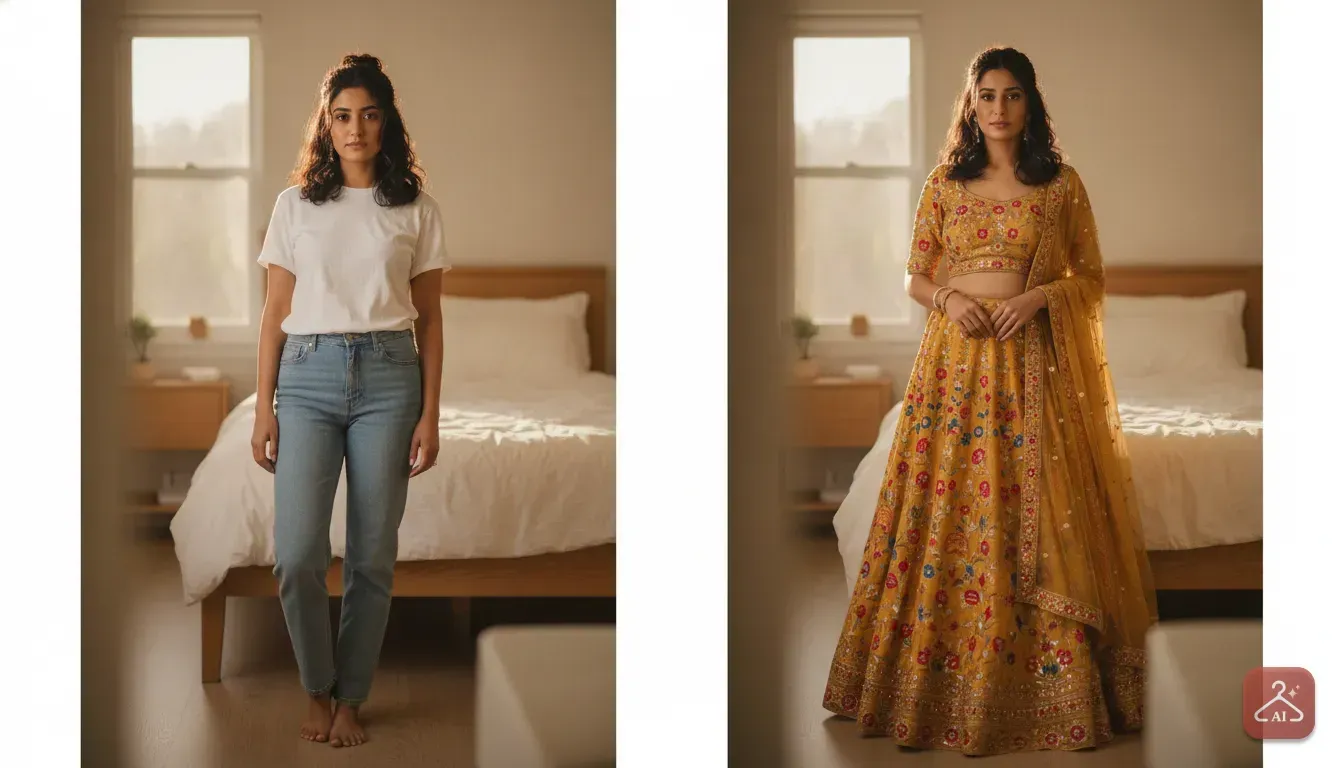
Ethnic wear relies heavily on the drape, waistline, and length. For a lehenga try on online, you need a full-body photo from head to toe.
Keep your waist visible with a crop top or tucked-in shirt. This helps the AI place the waistband or saree drape perfectly on your torso.
Western Wear and Kurti Styling Ideas
If you're exploring jeans or kurti styling ideas, use a three-quarter shot. Show yourself from the top of your head down to your knees.
A closer crop captures more detail in collars and sleeves. Keep your arms slightly out. That way, the sides of the shirt fall naturally.
A Note for Small Sellers: Getting the Best Product Photos
Small boutique owners rarely upload photos of themselves. You need high-quality product photos for an online clothing store, but professional models cost too much. AI tools fix this problem entirely.
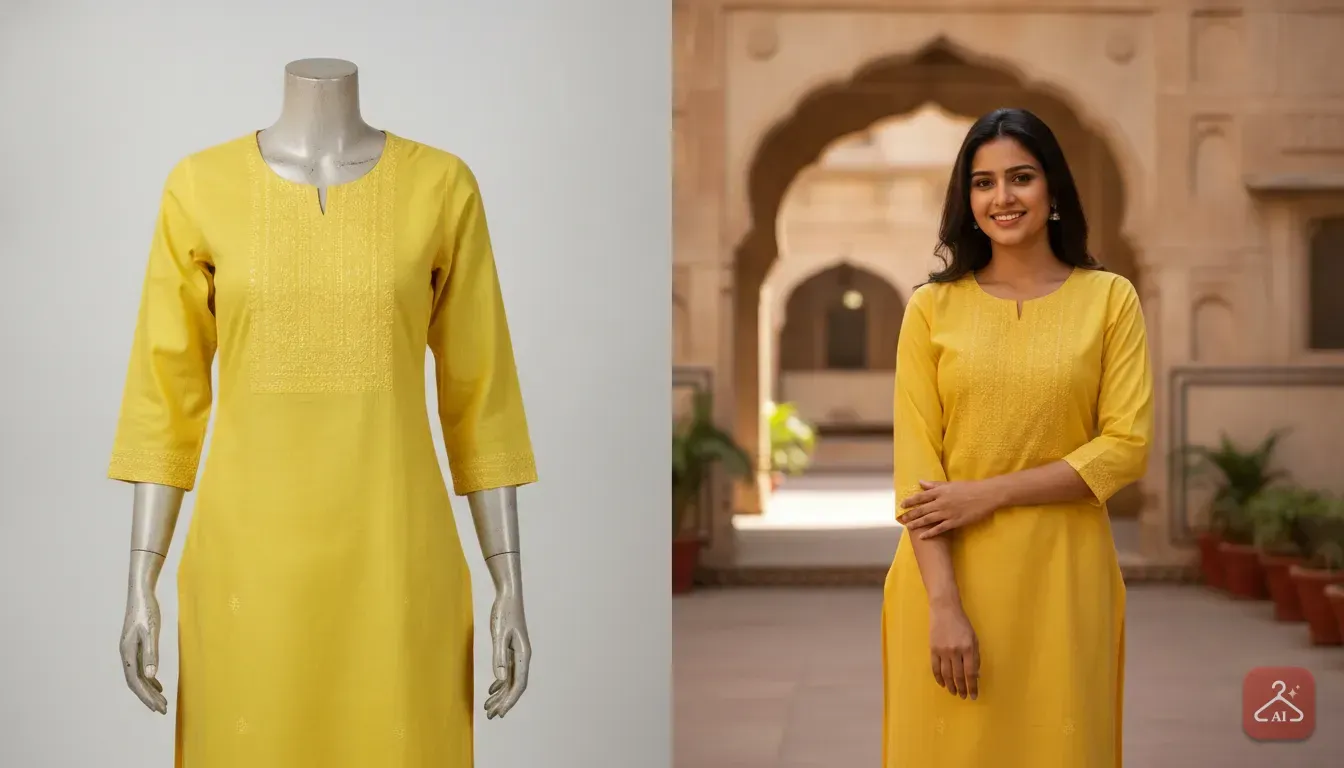
To get the best ai model photoshoot for clothing, provide a clean photo of the garment. You have two good options.
- The Flat Lay: Lay the top flat on a clean, white bedsheet. Smooth out the wrinkles and pull the sleeves out. Take the photo directly from above with even lighting and no heavy shadows.
- The Basic Mannequin: Put the clothes on a simple store dummy. Shoot a straight, front-facing photo against a plain wall.
Now take that clear image and let an app like Outfit Gen AI do the heavy lifting. It has a dedicated Model Photoshoot feature built just for sellers.
Upload your flat lay or mannequin shot. Pick an AI model from the library. The app generates a styled catalogue shot ready for your store.
We find it's the fastest way to get Meesho product photo ideas off the ground.
Messy background? Outfit Gen AI includes an Extract Outfit tool.
It grabs the look from a photo of someone wearing it and removes the clutter. The AI then focuses purely on the garment details.
How to Prepare and Edit Your Photo Before Uploading
Sometimes you have a great photo of yourself, but it still needs a little help before it goes into the ai outfit changer. Quick adjustments on your phone make a massive difference.
First, crop the image so you sit right in the centre. Cut out excess space above your head or below your feet.
Take up more space in the frame. Your final image will be noticeably higher quality.
Next, fix the brightness. If the picture looks dull, bump up the brightness and contrast slightly in your phone settings. Keep the details of your face and body sharp.
Outfit Gen AI automatically runs a safety check on your photo. This ensures all generated images are safe by design.
Need the absolute highest quality for Instagram? Use the one-tap 4K Upscale feature. It makes the final try-on result incredibly sharp.
Your Next Step for Better Online Shopping
Stop guessing how clothes will look on you. Stop hoping you picked the right size.
Take ten minutes this weekend to build your own virtual try-on wardrobe.
Put on a fitted t-shirt and leggings. Ask someone to shoot three photos in good natural light. You need one full body, one from the knees up, and one close-up of your head and shoulders.
Save these three pictures in a phone folder named 'Try On Photos'.
The next time you spot a great dress online, save the store picture. Open Outfit Gen AI, upload your ready-to-go base photo, and use the Outfit Swap feature.
You'll know instantly if you should hit buy or keep scrolling.
Frequently asked questions
Can I use a mirror selfie for a virtual try-on?
No, a mirror selfie is not recommended. Your phone usually blocks your chest or torso, which prevents the AI from mapping the new outfit correctly onto your body shape.
What should I wear in my base photo for an AI outfit changer?
Wear simple, tight-fitting clothes like leggings and a fitted t-shirt. Avoid baggy clothes, as the AI will think the loose fabric is part of your body shape and make the new outfit look bulky.
How do sellers get good photos for AI clothing models?
Sellers should lay the garment flat on a clean surface or put it on a simple mannequin, ensuring good, even lighting. Apps like Outfit Gen AI can then take this simple photo and place the garment onto an AI model for a professional catalogue look.
Why does the AI put my hair over the collar of the new dress?
If your hair is down in your base photo, the AI cannot clearly see your neckline and shoulders. Always tie your hair back or push it behind your shoulders before taking your reference photo.
Try it yourself
Outfit Gen AI
See yourself in any outfit before you buy it.