Creative Edit Ideas to Turn Selfies into Studio Art
Turn your casual phone selfies into professional studio art for your Instagram feed. Learn the exact prompts and styles to change your outfits, lighting, and backgrounds.
 DevForge Studio
7 min read
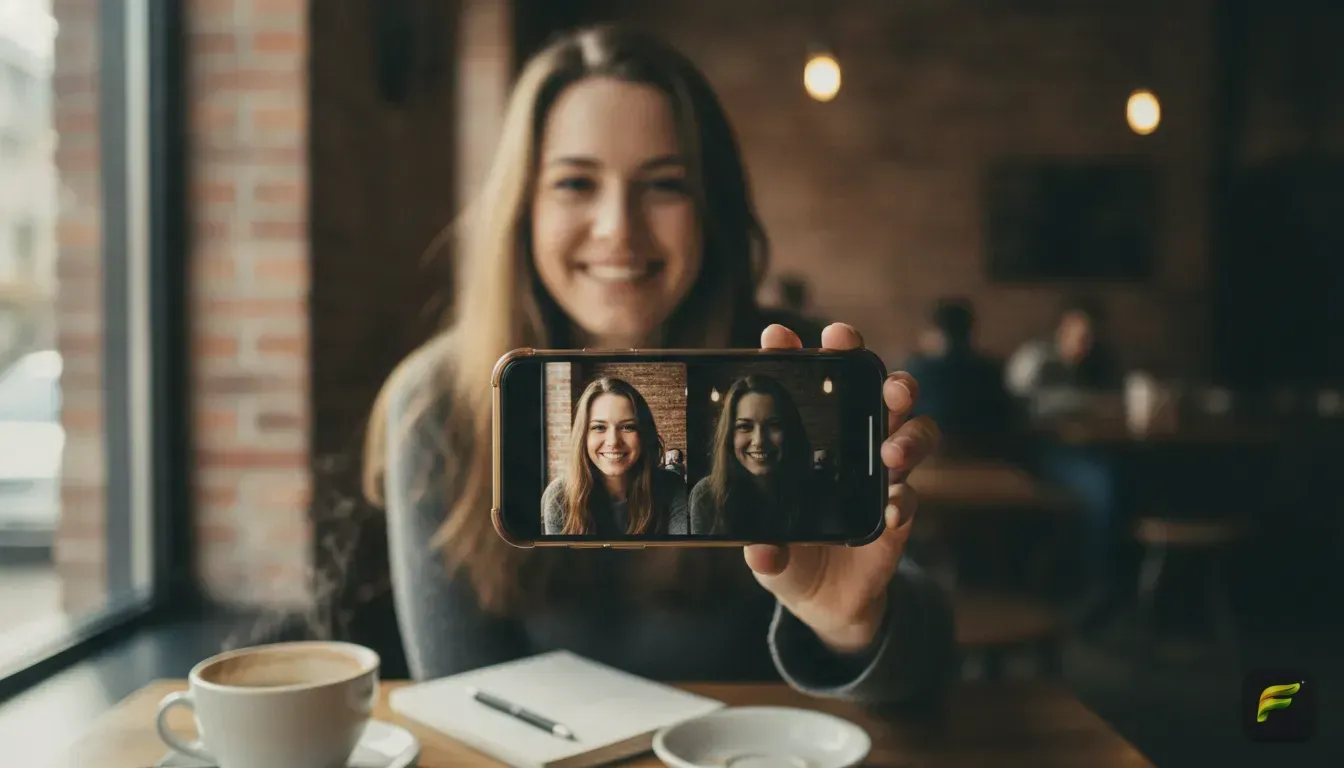
You took a decent bedroom selfie, but it feels plain. You want creative Instagram photo edit ideas to transform everyday selfies into studio art. We can help you get there without booking a photographer or learning complex software.
The trick is pairing a clean base photo with the right prompts. You'll swap the lighting, background, and outfit while keeping your actual face exactly the same. Let's walk through setting up that starting image and the exact styles you can apply right now.
Getting the Perfect Base Selfie for Editing
Your base image dictates the final result. If your starting photo is blurry or heavily filtered, the studio edit will look artificial. Here is exactly how to take a selfie that works perfectly with smart editing tools.
First, find soft, even lighting. Stand facing a window during the day. Direct sunlight creates dark shadows under your eyes, which completely confuses editing algorithms.
Next, look straight at the camera or turn at a slight angle. Keep your phone at eye level. Shooting from below or above distorts your facial proportions, and the final edit just magnifies those weird angles.
Keep your face clear. Move hair out of your eyes and skip the large sunglasses or hats. The editor needs a clean view of your features to keep you looking like you.
Finally, stick to your regular phone camera app. Don't use filters that pre-smooth your skin or shrink your jawline. A sharp, standard photo gives the AI a perfect blank canvas.
Creative Idea 1: The Cinematic Moody Portrait
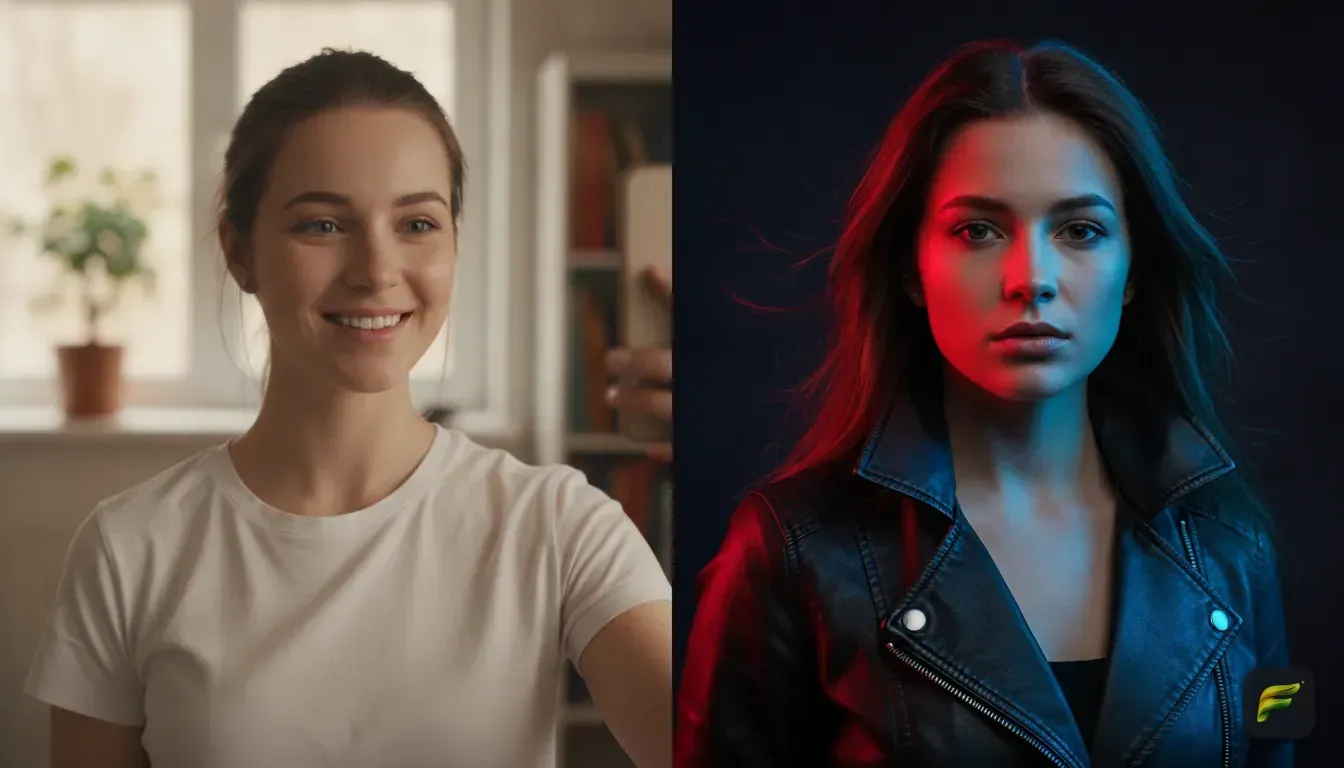
Turning a standard room selfie into a dramatic movie scene is everywhere right now. This style relies on deep shadows, neon practical lights, and a blurred background.
To get this look, focus on color contrast. Think deep blues mixed with warm oranges or striking neon pinks against dark alleyways. Editing this manually means dropping your exposure and cooling down the color temperature.
When using an AI tool, you dictate the exact lighting. Ask the editor to place a rim light behind you and a soft key light on your face. This separates you from the background and builds that expensive studio feel.
We find this pairs beautifully with a simple black turtleneck or leather jacket. It matches the serious, moody vibe perfectly.
Creative Idea 2: The Vintage Film Camera Aesthetic
Sometimes the best studio art doesn't look modern at all. The 90s film aesthetic remains a massive trend on social media. It brings warmth, nostalgia, and a slightly imperfect feel to your photos.
To nail a true vintage look, the edit needs film grain, muted colors, and a soft glow around the highlights. You might also swap your outfit to something retro. A chunky knit sweater or an oversized denim jacket works great.
This style works perfectly for feed carousels. Check out our guide on aesthetic photo edit ideas for your next Instagram photo dump to see how to sequence these vintage shots.
Just don't overdo the artificial dust or scratch marks. We always recommend keeping the grain subtle so the focus remains firmly on your face.
Creative Idea 3: The High-Fashion Editorial Look
This is where you take a casual t-shirt selfie and turn it into a magazine cover. High-fashion edits require striking outfits, minimalist backgrounds, and flawless studio lighting.
Instead of buying an expensive wardrobe for one photo, try an app like Fotorra AI. We built Fotorra to solve this exact problem. You upload your selfie, and the app keeps your face identical while swapping your outfit and background.
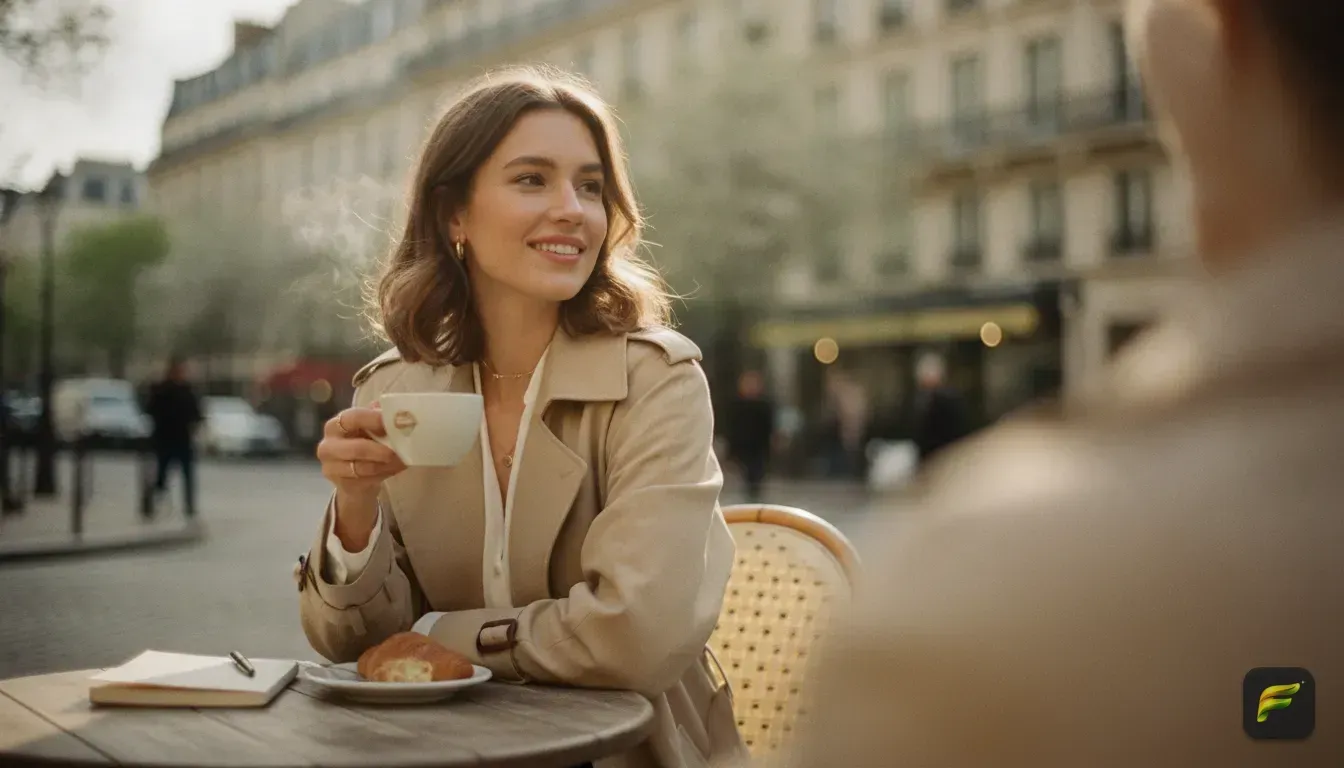
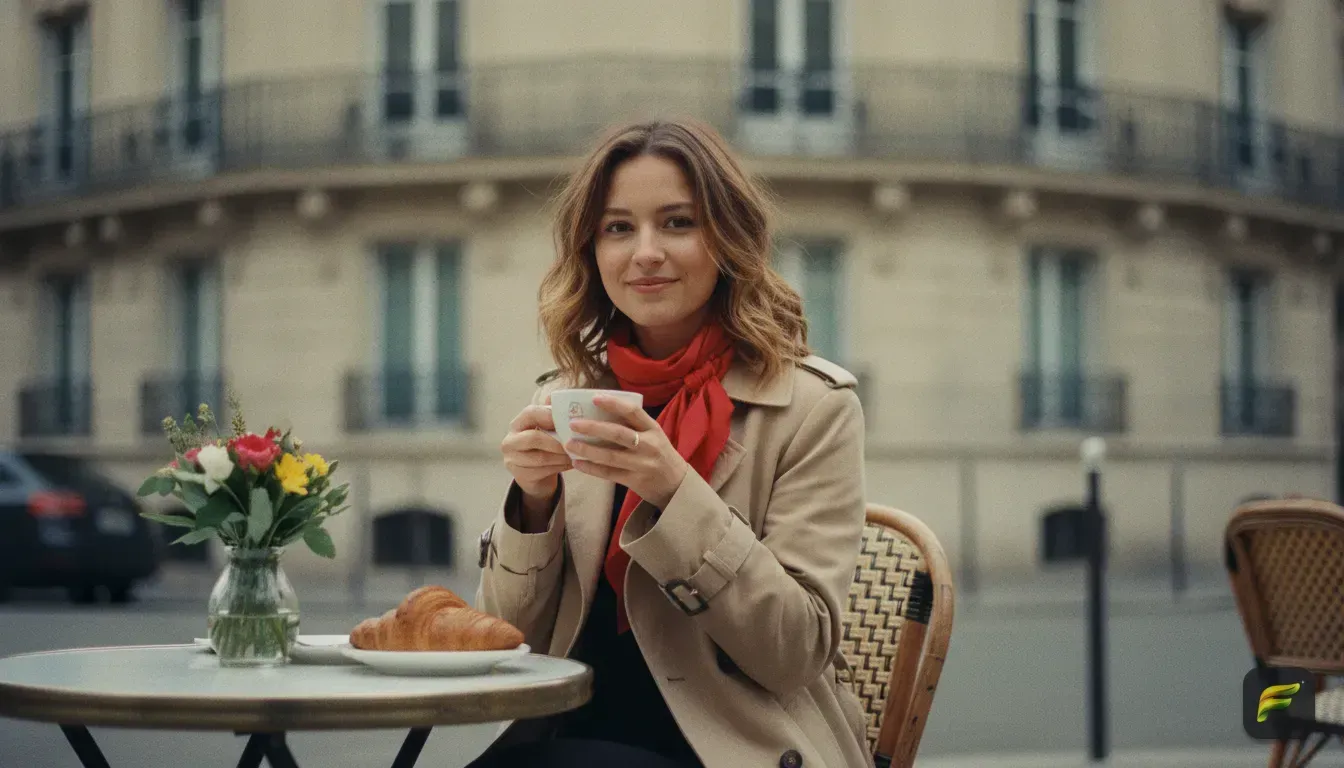
You can use the curated templates to apply a 'Cinematic Studio' or 'Paris Afternoon' style with a single tap. The app changes your casual clothes into a tailored blazer or an elegant evening dress. It drops you against a clean, textured studio backdrop with professional softbox lighting.
All the processing happens privately and saves directly to your phone. You can experiment with wild fashion looks completely risk-free before posting your favorite to Instagram.
Creative Idea 4: The Ethereal Fantasy Portrait
If you want something that truly looks like digital art, the ethereal fantasy style is a great choice. This aesthetic relies on pastel colors, glowing light, and magical elements like floating sparkles or floral overlays.
This style works incredibly well for profile pictures. The bright colors grab attention even when the image is tiny. To pull this off, the edit needs to soften your surroundings and bathe you in a warm golden glow.
Imagine turning your messy living room into a sunlit meadow or a glowing crystal cave. Ask your editor for flowing clothes, a new hairstyle, or subtle floral accessories. The contrast between your real face and the highly stylized background creates a striking piece of content.
Creative Idea 5: Y2K Cyberpunk and Vibrant Pop Art
For creators who prefer bold visuals, the Y2K cyberpunk or pop art styles offer incredible contrast. These edits rely on highly saturated colors, metallic textures, and futuristic backgrounds.
If you usually wear simple streetwear, swapping to a reflective silver jacket adds instant visual interest. The backgrounds for these edits should feature glowing cityscapes, retro computer graphics, or abstract geometric shapes.
These styles are incredibly intense. They work best for single image posts or Instagram Reels covers rather than full carousels. They stop the scroll immediately.
Copy and Paste These AI Photo Editing Prompts
If you use the custom prompt feature in Fotorra AI, the way you describe the image changes everything. You have to be specific about the lighting, the clothing, and the background.
Here are four exact prompts you can copy, paste, and tweak to transform your selfies:
- The Moody Studio: "A cinematic portrait of the person wearing a sharp black suit. Dark studio background with a single dramatic red neon rim light. Professional 85mm lens photography, highly detailed, moody atmosphere."
- The Paris Afternoon: "The person sitting at a small table in a bright Parisian cafe. Wearing a stylish beige trench coat and a silk scarf. Natural afternoon sunlight, soft shadows, film camera aesthetic, elegant and relaxed mood."
- The 90s Grunge: "A retro 1990s flash photography portrait. The person wearing an oversized vintage graphic tee and a silver chain necklace. Standing against a brick wall at night. Heavy film grain, disposable camera style, cool tones."
- The Ethereal Glow: "An ethereal fantasy portrait of the person wearing a flowing white silk dress. Standing in a glowing enchanted forest with soft golden hour light filtering through the trees. Soft focus, magical atmosphere, highly detailed."
Mistakes to Avoid When Editing Selfies
It's easy to get carried away when you have powerful editing tools at your fingertips. Here are a few common traps to avoid.
First, don't edit other people without their permission. Keep the edits focused on your own photos to respect privacy.
Second, avoid styles that completely morph your facial structure. The goal is to put yourself in a new artistic setting, not to look like a completely different human. If you want more advice on this, read our post on how to find the best AI filters for selfies that keep your natural face.
Third, pay attention to lighting mismatches. If your original selfie has bright sunlight hitting the left side of your face, don't prompt for a dark room with a light source on the right. The editor will try to blend it, but it often looks unnatural.
Always try to match the mood of your original lighting. Better yet, use a very flatly lit base photo so the app can build the shadows correctly.
Your Next Step to Better Instagram Photos
You don't need a massive budget or a professional crew to create striking art for your feed. You just need a clear selfie, a good concept, and the right prompts.
Pick one of the styles we just discussed. Take a fresh selfie right now facing a window with good natural light. Open your editor, paste in the 'Moody Studio' or 'Paris Afternoon' prompt, and see how your everyday photo shifts into a high-end portrait.
Test a few different outfits and lighting setups. Save your favorites to your camera roll, and plan out your next Instagram post.
Frequently asked questions
What makes a good selfie for AI photo editing?
You need soft, natural lighting and a clear view of your face. Avoid heavy shadows, large sunglasses, or pre-applied filters so the editor has a clean base to work from.
Can I change my outfit in a photo without changing my face?
Yes, using tools with custom AI prompts or templates, you can isolate the background and clothing. The software alters the garments and surroundings while keeping your facial features intact.
What are the most popular AI photo styles for Instagram right now?
Cinematic moody lighting, vintage 90s film camera effects, and high-fashion editorial looks are highly popular. They add a professional, stylized finish to ordinary photos that instantly grab attention.

Try it yourself
Fotorra AI
Transform photos instantly with AI.